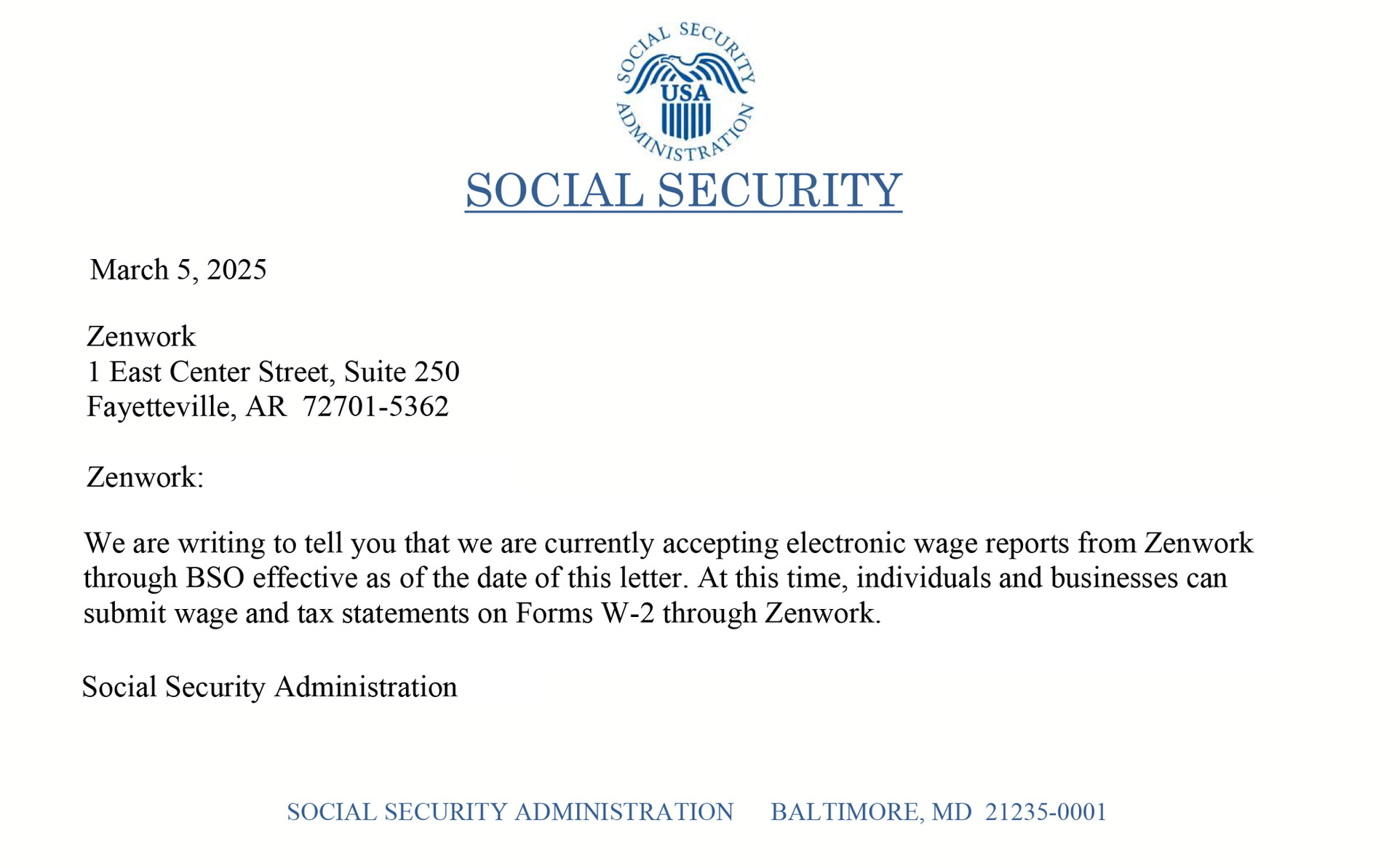
W-2 Filing Available for All Businesses and Individuals
We are pleased to announce that all businesses and individuals can now file W-2 forms with Zenwork. If you previously received a letter from the Social Security Administration (SSA) regarding electronic wage report submissions, please note that the issue has been fully resolved. Our systems are fully operational, and we are processing W-2 and W-2C filings without any disruptions.
Thank you for your continued trust!
1099 Forms
Payroll Forms
STOCK OPTIONS
WAGE TAX FORMS
FORM 592-B
Tax Exempt Forms New
ACA FORMS
1098 FORMS
480 FORMS
Extension Forms
Form 8027
Form 8955-SSA
1042 FORMS
5498 Forms
STATE FILINGS
STATE Payroll Forms
STATE ONLY FILING
WEST
MIDWEST
SOUTH
NORTHEAST
File multiple returns through bulk upload and import data directly via QuickBooks, Xero, etc.
Manage multiple clients with a single sign-on and reduce operation workload with Tax1099.
Create, validate, schedule, and deliver forms effortlessly from a single platform.
Manage W-9, 1099-NEC, and other IRS forms for gig workers with our intuitive platform.
Verify Payees/Merchants with real-time TIN Matching and efile in bulk with our API.
Import and organize your trading data with our real-time data management.
TAX FORM FILING
Data Import & Management
USER & WORKFLOW MANAGEMENT
Validation & Checks
PRINT & DELIVERY
COMPLIANCE & security
ADDITIONAL FEATURES
Integrations
Check out our Product Tour for a smooth Tax1099 experience!
Acquire the help required from our support.
Visual guides to help you work with Tax1099
Explore industry insights & latest updates
Stay up to date about latest IRS updates.
Read the real-life success stories of our users.
The A-Z list for tax-related terms & definitions.
Detailed guides for smarter tax compliance.
Listen to thought-provoking insights and discussions with experts.
Tools
Proper reporting of Form 941 ensures that the IRS can match an employer’s quarterly figures with EFTPS deposits and year-end Forms W-2 without delays or notices. This guide explains how to fill out Form 941 accurately and on time for the 2026 calendar quarters.
Employers use Form 941 to report federal income tax withheld from employees and both the employee’s and the employer’s portions of Social Security and Medicare taxes to the IRS. The agency compares these reported amounts to electronic deposits and later links them to annual wage reporting.
Generally, most employers file this return unless the IRS instructs them to use Form 944 or to file returns for either agricultural or household employment. A proper filing prevents mismatches and helps the IRS avoid sending unnecessary follow-up requests.
Quarterly deadlines follow a predictable cycle. The standard Form 941 due dates fall on the last day of the month after each quarter ends. If the due date is on a weekend or federal holiday, consider the next business day as the updated deadline.
Before you begin filling out Form 941 for the quarter, make sure you have:
Expert Tip: Create a one-page spreadsheet for the quarter that summarizes wages, tax liabilities, deposits, and credits. Keeping everything in one place makes completing Form 941 (and Schedule B, if needed) much faster and reduces last-minute errors.
Form 941 is organized into small sections, each tied to a specific payroll detail. As the employer’s official quarterly payroll tax return, each line builds the IRS record for that period.
The responsibility of deposits depends on the look-back period of the employer. Businesses with $50,000 or less in look-back taxes deposit monthly, while others follow the semiweekly schedule. Next, the IRS enforces the $100,000 next-day rule in cases of liability spikes.
Correctly complete Schedule B if you are a semiweekly depositor.
If you discover an error after filing Form 941, you must use Form 941-X, Adjusted Employer’s Quarterly Federal Tax Return or Claim for Refund, to correct it. Complete a separate Form 941-X for each affected quarter and indicate whether the adjustment results in additional tax due or a claim for refund/credit.
In most cases, to file Form 941-X and make the correction, you have until the later of:
Electronic filing of Form 941 is available and encouraged, but the 10-return aggregate e-file mandate applies to information returns (for example, Forms W-2 and 1099), not to Form 941. Certain filers—such as certified professional employer organizations (CPEOs)—must generally e-file Form 941. Other employers may file electronically or on paper unless another program-specific rule requires e-filing.
After filing, keep all records of employment taxes for at least 4 years. Digital copies are acceptable if they’re accessible for IRS review.
Form 941 becomes due on the last day of the month after the quarter ends (April 30, July 31, October 31, and January 31 for Q1–Q4). If that date falls on a weekend or holiday, file on the next business day.
Only if the IRS notifies you to file Form 944 or you request and receive IRS approval to file Form 944. You must contact the IRS during the first quarter to request annual filing and receive written approval.
No. Payroll software can calculate wages and deposits, but the employer (or payroll provider) must still file Form 941 with the IRS each quarter.
Include taxable fringe benefits in wages for the quarter in which they are treated as paid. They follow the same withholding and reporting rules as regular compensation on Form 941.
Attach Schedule B if you are a semiweekly depositor, or if you triggered the $100,000 next-day deposit rule at any point in the quarter—even if you usually deposit monthly.
Yes. The IRS accepts electronic signatures when Form 941 is e-filed through an IRS-approved provider such as Tax1099.
Stay penalty-free and save time. Collect your payroll numbers, follow this simple outline, and e-file Form 941 with Tax1099 the quick way for every payer to stay compliant and avoid unnecessary IRS notices.
Log in at quarter-end, upload your payroll totals, and submit a clean Form 941 in just a few clicks with Tax1099.