
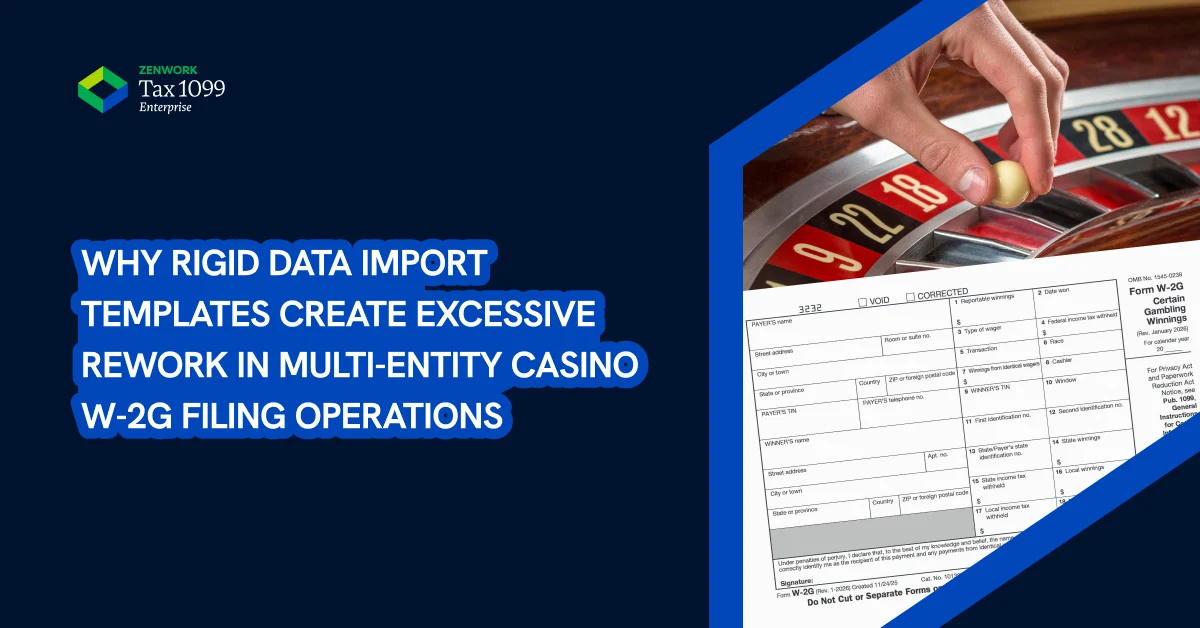
Casinos have to send a Form W-2G to gambling winners whose winnings exceed the minimum reporting threshold. But W-2G reporting is not only about entering the total taxable winnings
When filing Form W-2G, you need to use the correct payer, winner, transaction, and withholding details since file-based import systems often require the data to follow a specific layout.
Because casino and gaming establishments have to file massive volumes of W-2G yearly, you would think a one-size-fits-all spreadsheet template would work. But unfortunately, this causes more issues when different casino entities maintain taxpayers and payout data in different formats. In multi-entity casino operations where the casinos use a standard data import template, it can turn into a bottleneck. Standardizing, validating, and matching the data to the correct W-2G form fields takes time. Time that most casinos cannot spend on.
Casino Tax Reporting Is Complex
Casino W-2G filing when done in small batches is usually not a problem. But when you scale it up, that’s when it tends to become a bit more complicated. Especially, since Form W-2G has specialized reporting thresholds depending on the type of gambling activity.
Reporting Threshold:
Casinos usually issue a Form W-2G when gambling winnings meet the applicable reporting threshold. For 2026 tax year, Form W-2G reporting depends on the applicable reporting threshold for each type of gambling winnings and any wager-ratio rules that apply. For instance, the minimum threshold is $2,000 or more for certain traditional gambling winnings, including slot and bingo players.
Payout Reporting Rules:
With so many IRS rules about the type of gambling activity and reportable amounts, casinos dealing with Form W-2G reporting obligations across multiple properties, gaming systems, and operational teams, have to make sure their taxpayer and payout data is accurate.
Usually, the data needed for Form W-2G filing may come from multiple sources, like casino management systems and accounting tools, with some supporting data also coming from customer and gaming-record databases. Each system organizes the same data in different formats. So, when it is time to prepare W-2G forms, the casino has to pull all this information manually, review, and match the fields correctly in order to make sure no data is missing or duplicated.
Where Rigid Import Templates Break Down
Importing the different formats of data stored across different systems and tools into a tax reportable format requires us to first break down why rigid import templates don’t work for casinos.
When eFiling, the IRS expects all the reportable tax data to be in a specific electronic filing format. You would think a standard spreadsheet template may help organize this data, but it does not automatically make the data IRS-ready. If the source data comes from different casino systems or entities, teams still need to standardize, validate, and map the information.
Multi-Entity and Multi-Location Data Does Not Always Fit One Template
A casino that operates in multiple locations and has multiple entities can make W-2G reporting more complex. Especially if those different properties or legal entities use different systems, naming conventions, and field formats.
Using a standardized template is a good idea for small scale reporting. Once the volume increases, a standardized template can become an issue since each casino property or legal entity may run its operations a little differently. And to make all the taxable gambling winnings data fit into a single template, the data has to be manually formatted, which leads to a higher chance of inconsistency and mistakes.
Winnings and Withholding Data Requires Careful Mapping
Form W-2G includes fields for reportable winnings, date won, type of wager, federal income tax withheld, state winnings, local winnings, state income tax withheld, payer information, and winner information. All of this data needs to be mapped to the correct W-2G fields and boxes.
If the data is not mapped to the correct boxes and fields, small inconsistencies can cause incorrect winnings or withholding amounts to be reported. For example, if net payout is mapped as gross winnings, or state withholding is mapped as federal withholding, the W-2G may report inaccurate tax information.
Manual Reconciliation Creates Review Delays
In casino W-2G filing, reconciliation is the norm. Since the reportable tax data comes from different systems, it has to be manually reconciled before the data can be used on Form W-2G.
Manual reconciliation is a time-consuming process which can slow down your review cycle, especially if the filing volume is high. Instead of focusing on tax validation, teams may spend a significant amount of time preparing the data and cross-checking records across the different systems. They also have to spend time fixing any issues that may arise after the initial import.
Template Errors Increase Filing Risk
Using rigid templates leaves little room for error. If the data is mapped incorrectly in the template, the error will show up in the filing, since the mistake is likely to go unnoticed.
A template works only if the data lines up with the exact fields. Even a small error, such as a formatting mismatch, can be risky because it can be repeated across multiple forms if it's not caught at the right time. In some cases, the error is only discovered during review or after submitting Form W-2G which can lead to penalties and the need to correct the form and resubmit.
Casinos and the Need for a Scalable Reporting Process
Rigid data import templates do not work in a high-volume casino reporting setting. Casinos need a scalable reporting process that can handle complex Form W-2G reporting. A scalable reporting process must help file Form W-2G accurately and reduce the amount of manual effort required.
- Flexible and automated data imports that can help map the winning amounts to the correct Form W-2G field or boxes across multiple properties and systems.
- Filing support for multiple entities and locations within a single workflow to help teams track which entity/location each payout belongs to.
- Coverage for Form W-2G, plus other related reporting requirements such as 1099 for vendor or contractor payments.
- Role-based review and approval processes help teams have a proper approval workflow in place to review tax data, assign roles, and ensure W-2G data is approved by the right teams.
- Built-in data validation, such as TIN checksand USPS address validation, to help catch any incorrect TIN or address issues before submitting Form W-2G to the IRS.
- Audit trails for visibility into user actions and a centralized dashboard to track status and review progress.
What to Look for in a Casino W-2G Filing Solution
A scalable casino reporting solution should help teams do the following:
- The system should be able to handle multiple entities and properties without forcing data into a rigid structure.
- It should offer eFiling support for Form W-2G as well as 1099 reporting within a single workflow.
- Help teams validate TINs early in the filing process as well as USPS addresses for accurate recipient delivery.
- Provide visibility into the review and approval process as well as form submission status.
- Offer audit trails and secure documentation as well as role-based access.
How Tax1099 Enterprise Helps Casino Teams With Form W-2G Filing
Tax1099 Enterprises answers all these questions and helps support casinos with their tax reporting needs by providing a more flexible and centralized approach.
- Tax1099 Enterprise is built for high-volume workflows. It can manage accurate multi-entity W-2G within a single system, without the use of a rigid data import template.
- The platform supports integrations through APIs, SFTP, and no-code connectors to help casino teams move data from internal systems into the reporting workflow without relying only on manual spreadsheets.
- Supports Form W-2G, 1099 series, and other tax forms across federal and state jurisdictions, which reduces the need to switch between different platforms.
- Allows more flexible data mapping and imports instead of relying on a single rigid template, so that teams can work with different data formats and map them appropriately.
- Enables real-time TIN validation at the time of payout or data entry, helping to review fields and catch formatting issues before submission.
- Supports role-based workflows and streamlines review and approval processes across different teams like accounting/finance teams.
- Provides centralized visibility and tracking so that teams can monitor filing status and identify any exceptions without relying on manual coordination.
- Maintains audit-ready records that capture changes, validations, and actions to support compliance and internal review requirements.